Centraline
Aggiuntive
migliorare le prestazioni
La centralina aggiuntiva potenzia il motore diesel?
Se sei un appassionato di motori diesel, probabilmente ti sarai chiesto almeno una volta come migliorare le prestazioni del tuo veicolo senza dover ricorrere a modifiche invasive o costose. Una delle soluzioni più discusse e apprezzate nel mondo dell’automotive è l’installazione di una centralina aggiuntiva. Ma funziona davvero? In questo articolo, esploreremo come una centralina aggiuntiva può potenziare un motore diesel, migliorandone le prestazioni e l’efficienza, e ti darò alcuni consigli utili per fare la scelta giusta.
BOX TUNING
Cos’è una centralina aggiuntiva e come funziona
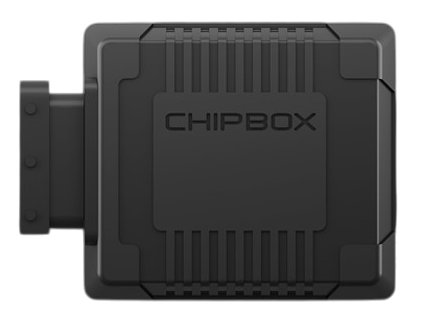
La centralina aggiuntiva, spesso chiamata anche “box tuning” o “performance chip”, è un dispositivo elettronico che si collega al sistema di gestione del motore della tua auto. Il suo scopo principale è ottimizzare i parametri di funzionamento del motore, come la quantità di carburante iniettata, la pressione del turbo e i tempi di iniezione.
Nei motori diesel, la centralina aggiuntiva agisce principalmente sulla gestione della pompa ad alta pressione e sugli iniettori. Modificando questi parametri, il motore può generare più potenza e coppia senza dover intervenire fisicamente sui componenti meccanici. In pratica, è come dare al motore una “spinta intelligente” che sfrutta al meglio le sue potenzialità.
I vantaggi di una centralina aggiuntiva
Uno dei principali vantaggi di una centralina aggiuntiva è l’aumento delle prestazioni. Con una corretta installazione e configurazione, è possibile ottenere un incremento significativo della potenza e della coppia, rendendo la guida più dinamica e piacevole. Questo è particolarmente utile per chi utilizza il veicolo per il traino o per percorsi con salite ripide.
Un altro aspetto da non sottovalutare è il miglioramento dell’efficienza energetica. Ottimizzando la combustione del carburante, la centralina a doppio canale può ridurre i consumi, soprattutto in condizioni di guida miste. Questo significa non solo risparmiare sul carburante, ma anche ridurre le emissioni inquinanti, contribuendo a una guida più ecologica.
Attenzione ai potenziali svantaggi
Nonostante i numerosi vantaggi, è importante considerare anche alcuni aspetti critici. Una centralina aggiuntiva mal configurata o di bassa qualità può causare problemi al motore, come un’usura precoce dei componenti o un aumento eccessivo della temperatura. Inoltre, modificare i parametri del motore potrebbe invalidare la garanzia del veicolo, quindi è fondamentale informarsi prima di procedere con l’installazione.
Un altro aspetto da tenere in considerazione è la compatibilità con il tuo veicolo. Non tutte le centraline aggiuntive sono universali, e alcune sono progettate specificamente per determinati modelli o marchi. Assicurati di scegliere un prodotto adatto alle caratteristiche del tuo motore.
Consigli per scegliere la centralina giusta
Se stai pensando al tuning della tua auto con l’ installazione di una centralina aggiuntiva, il mio primo consiglio è di affidarti a professionisti del settore. Un tecnico esperto potrà guidarti nella scelta del dispositivo più adatto alle tue esigenze e garantire una corretta installazione.
In secondo luogo, opta per prodotti di qualità, preferibilmente di marchi riconosciuti nel mondo dell’automotive. Anche se il prezzo potrebbe essere più elevato, la differenza si nota in termini di affidabilità e durata nel tempo.
Infine, valuta sempre le tue esigenze reali. Se utilizzi la tua auto principalmente in città, forse non hai bisogno di una centralina che massimizza la potenza, ma piuttosto di una che migliori l’efficienza energetica. Al contrario, se ami la guida sportiva o utilizzi il veicolo per il traino, una centralina ad alte prestazioni potrebbe fare al caso tuo.
La centralina aggiuntiva è senza dubbio una soluzione interessante per chi vuole potenziare il proprio motore diesel senza ricorrere a modifiche invasive. Con i giusti accorgimenti e una scelta oculata, è possibile ottenere un miglioramento significativo delle prestazioni e dell’efficienza, rendendo la guida più piacevole ed economica.
Tuttavia, è fondamentale approcciarsi a questa modifica con consapevolezza, informandosi bene e affidandosi a professionisti qualificati
Controllo
Parcheggio
spazi privati
Come controllo in modo smart l'accesso al parcheggio privato?
Negli ultimi anni, la gestione degli spazi privati, in particolare dei parcheggi, è diventata una priorità per molti di noi. Che si tratti di un’abitazione privata, di un condominio o di un’azienda, proteggere l’accesso al parcheggio è fondamentale per garantire sicurezza e comodità. Oggi, grazie alla tecnologia, esistono soluzioni intelligenti che ci permettono di gestire l’accesso in modo efficiente e senza sforzo. In questo articolo, esploreremo alcune delle opzioni più avanzate, come l’alzacatena, la barriera automatica radiocomandata e il salvaposto auto ad arco, per aiutarti a scegliere la soluzione migliore per le tue esigenze.
SMART ACCESS
Perché è importante proteggere il parcheggio privato
Avere un parcheggio privato è un vantaggio, ma senza un controllo adeguato, può trasformarsi in un problema. Furti, danni alle auto o semplicemente l’uso non autorizzato dello spazio sono situazioni che tutti vogliamo evitare. Ecco perché è essenziale dotarsi di sistemi che non solo limitano l’accesso, ma lo gestiscono in modo intelligente. La tecnologia ci offre strumenti che combinano sicurezza, praticità e design, rendendo la protezione del parcheggio un’esperienza senza stress.
L’alzacatena: una soluzione robusta e affidabile
Se cerchi una soluzione semplice ma efficace, l’alzacatena è una delle opzioni più popolari. Si tratta di un dispositivo meccanico o motorizzato che, come suggerisce il nome, solleva e abbassa una catena per bloccare o permettere l’accesso. La versione motorizzata può essere controllata tramite telecomando, tastierino o addirittura smartphone, rendendola una scelta versatile. L’alzacatena è particolarmente indicato per chi cerca una soluzione robusta e a bassa manutenzione, ideale per parcheggi privati di piccole e medie dimensioni.
La barriera automatica radiocomandata: comodità e sicurezza
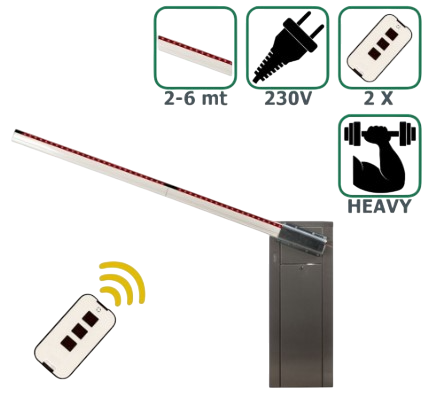
Quando pensiamo a un sistema di controllo accessi moderno, la barriera automatica radiocomandata è spesso la prima cosa che ci viene in mente. Questa soluzione è perfetta per chi vuole unire design, sicurezza e facilità d’uso. Le barriere stradali automatiche sono disponibili in diverse lunghezze e materiali, come l’alluminio o l’acciaio, e possono essere personalizzate per adattarsi allo stile del tuo spazio. Grazie al controllo radiocomandato, puoi aprire e chiudere la barriera comodamente dal tuo veicolo, senza doverti fermare. Alcuni modelli avanzati offrono anche integrazione con app per smartphone, permettendoti di monitorare e gestire l’accesso da remoto.
Il salvaposto auto ad arco: eleganza e funzionalità
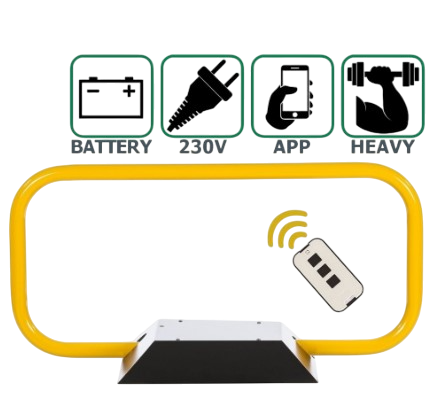
Se desideri una soluzione che unisca estetica e funzionalità, il salvaposto auto ad arco è un’opzione da considerare. Questo sistema, composto da un arco che si alza e si abbassa, è particolarmente adatto per parcheggi privati di alto livello. Oltre a bloccare l’accesso, il salvaposto auto ad arco aggiunge un tocco di eleganza al tuo spazio. Molti modelli sono dotati di sensori di sicurezza che impediscono la chiusura dell’arco in presenza di ostacoli, garantendo massima protezione per le auto e per le persone.
Come scegliere la soluzione giusta per te
La scelta del sistema di controllo accessi dipende dalle tue esigenze specifiche. Se cerchi una soluzione economica e affidabile, l’alzacatena potrebbe essere la scelta migliore. Se invece vuoi unire comodità e design, la barriera automatica radiocomandata è un’opzione eccellente. Per chi cerca il massimo in termini di estetica e sicurezza, il salvaposto auto ad arco è la soluzione ideale. In ogni caso, è importante considerare fattori come la frequenza d’uso, lo spazio disponibile e il budget a disposizione.
Consigli per una gestione smart del parcheggio
Indipendentemente dal sistema scelto, ci sono alcuni accorgimenti che possono rendere la gestione del parcheggio ancora più efficiente. Ad esempio, integrare il sistema con un’app per smartphone ti permette di monitorare l’accesso in tempo reale e di ricevere notifiche in caso di tentativi non autorizzati. Inoltre, assicurati di scegliere un sistema con sensori di sicurezza per evitare incidenti. Infine, non sottovalutare l’importanza di una manutenzione regolare per garantire il corretto funzionamento del dispositivo nel tempo.
Proteggere e gestire il parcheggio privato non è mai stato così semplice grazie alle soluzioni tecnologiche disponibili oggi.
Che tu scelga un alzacatena, una barriera automatica radiocomandata o un salvaposto auto ad arco, l’importante è trovare il sistema che meglio si adatta alle tue esigenze.
Con un po’ di ricerca e i giusti consigli, potrai trasformare il tuo parcheggio in uno spazio sicuro, comodo e all’avanguardia.
Modulo
Acceleratore
esperienza di guida
Il pedalbooster offre una guida più dinamica e reattiva?
Se sei un appassionato di automobili come me, saprai che ogni dettaglio può fare la differenza nell’esperienza di guida. Uno degli aspetti che spesso viene sottovalutato è la risposta del pedale dell’acceleratore. Ecco perché oggi voglio parlarti del pedalbooster, un modulo aggiuntivo per pedale acceleratore che promette di trasformare la tua guida, rendendola più dinamica e reattiva.
MORE RESPONSIVE
Cos’è un pedalbooster e come funziona
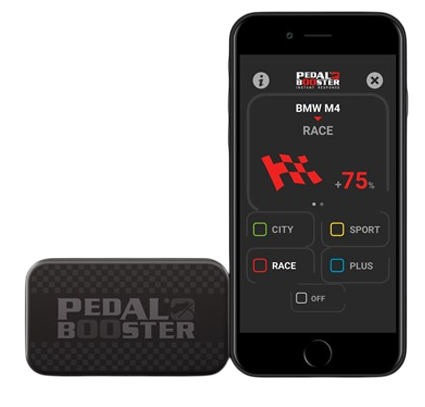
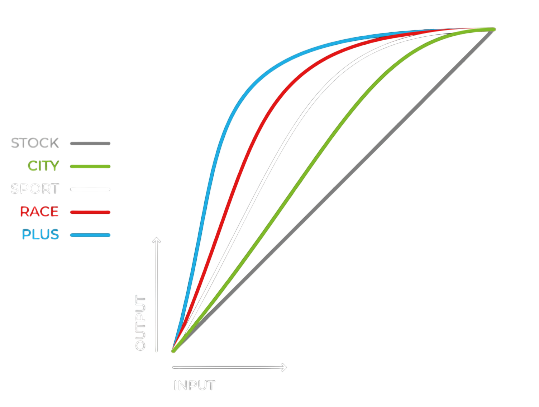
Il pedalbooster è un dispositivo elettronico che si collega al pedale dell’acceleratore della tua auto. Il suo scopo principale è modificare la risposta del pedale, rendendola più immediata e precisa. In pratica, agisce come un intermediario tra il pedale e la centralina dell’auto, interpretando i tuoi input in modo più aggressivo o più fluido, a seconda delle tue preferenze.
La bellezza di questo dispositivo è che non modifica la potenza del motore, ma ottimizza la trasmissione del segnale. Questo significa che puoi godere di una guida più sportiva senza dover intervenire su componenti meccaniche o elettroniche complesse.
Perché la risposta dell’acceleratore è importante
Hai mai notato che, in alcune auto, quando premi l’acceleratore c’è un leggero ritardo prima che il motore risponda? Questo fenomeno, noto come lag dell’acceleratore, può essere frustrante, soprattutto quando vuoi una guida più coinvolgente. Il pedalbooster è un modulo per pedale acceleratore che elimina proprio questo problema, rendendo la risposta del pedale immediata e lineare.
In auto sportive o ad alte prestazioni, questo ritardo è spesso minimo, ma nelle vetture di tutti i giorni può essere più evidente. Con un pedalbooster, anche un’auto di serie può sentirsi più reattiva e pronta all’azione.
I vantaggi di un’esperienza di guida più reattiva
Installare un pedalbooster non è solo una questione di prestazioni, ma anche di piacere di guida. Una risposta più immediata dell’acceleratore ti permette di sentirti più connesso alla strada e all’auto. Ogni curva, ogni sorpasso e ogni accelerazione diventano più coinvolgenti.
Inoltre, questo dispositivo può essere particolarmente utile in situazioni di guida dinamica, come in autostrada o su strade tortuose, dove una risposta rapida può fare la differenza. E non preoccuparti: la maggior parte dei pedalbooster offre diverse modalità di guida, così puoi passare da una risposta più sportiva a una più rilassata con un semplice clic.
Consigli per scegliere il pedalbooster giusto
Se stai pensando di acquistare un pedalbooster, ci sono alcuni aspetti da considerare. Innanzitutto, assicurati che il dispositivo sia compatibile con la tua auto. La maggior parte dei modelli è universale, ma è sempre meglio verificare.
In secondo luogo, valuta le diverse modalità offerte. Alcuni pedalbooster hanno fino a quattro impostazioni, che vanno da una guida più fluida a una più aggressiva. Scegli quello che meglio si adatta al tuo stile di guida e alle tue esigenze.
Infine, considera la facilità di installazione. Molti modelli sono plug-and-play, il che significa che puoi installarli da solo senza bisogno di un meccanico. Tuttavia, se non ti senti sicuro, è sempre meglio affidarsi a un professionista.
una guida più emozionante è a portata di pedale
Il pedalbooster è una di quelle soluzioni intelligenti che dimostrano come piccoli interventi possano fare una grande differenza. Se ami la guida dinamica e vuoi sentirti più connesso alla tua auto, questo dispositivo è sicuramente da considerare. Non solo migliora la reattività del pedale, ma trasforma ogni viaggio in un’esperienza più emozionante e coinvolgente.
Camper
Usato
nuova vita
Che ne faccio del vecchio camper ?
Negli ultimi anni, ho notato un calo di interesse verso la vita da camperisti. Molti di noi, appassionati di viaggi su quattro ruote, si sono ritrovati con un camper fermo in garage, magari un po’ datato, e si chiedono: “Che ne faccio del camper usato?”. Se anche tu ti trovi in questa situazione, sappi che non sei solo. In questo articolo, voglio condividere con te una panoramica dei problemi legati ai camper vecchi e alcune soluzioni intelligenti per trasformare quel veicolo inattivo in un guadagno concreto.
BYE BYE MOTORHOME
Il calo di interesse per la vita da camperisti
Negli ultimi tempi, lo stile di vita da camperista ha perso parte del suo fascino. Le nuove generazioni sembrano preferire viaggi più rapidi e meno impegnativi, magari optando per soluzioni di sharing o per mezzi più moderni e tecnologici. Inoltre, il costo del mantenimento di un camper, soprattutto se vecchio, può diventare un peso economico non indifferente. Tra assicurazioni, manutenzione e spazi di parcheggio, molti si ritrovano a chiedersi se valga davvero la pena tenerselo.
I problemi dei camper vecchi
Un camper usato, soprattutto se di una certa età, può presentare una serie di problemi. Innanzitutto, c’è il tema della manutenzione: motori obsoleti, impianti elettrici datati e materiali che iniziano a mostrare i segni del tempo. Poi, c’è la questione dell’efficienza energetica: i modelli più vecchi consumano più carburante e spesso non sono equipaggiati con le tecnologie green che oggi sono sempre più richieste. Infine, c’è il design: gli interni di un camper vecchio possono sembrare fuori moda rispetto alle soluzioni moderne e minimaliste che dominano il mercato oggi.
Tutti questi fattori rendono difficile la vendita tradizionale. Spesso, i potenziali acquirenti sono pochi e disposti a pagare cifre molto basse, soprattutto se devono affrontare costosi interventi di ristrutturazione.
La necessità di vendere per realizzare un guadagno
Se hai deciso di separarti del tuo camper, è probabile che tu voglia farlo nel modo più vantaggioso possibile. Tuttavia, il mercato dell’usato può essere complicato da navigare. Mettere un annuncio online, gestire le trattative e organizzare i controlli tecnici richiede tempo e pazienza, due risorse che non sempre abbiamo a disposizione.
Ecco perché sempre più persone stanno optando per servizi di valutazione e acquisto camper immediato . Queste piattaforme offrono una soluzione rapida ed efficiente: basta inserire i dettagli del veicolo, ricevere una valutazione e, se accetti l’offerta, il camper viene ritirato e pagato in tempi brevissimi.
Perché scegliere un servizio di valutazione e acquisto immediato
I vantaggi di questi servizi sono molteplici. Innanzitutto, ti evitano lo stress di dover gestire la vendita in prima persona. Non devi preoccuparti di scattare foto perfette, scrivere annunci accattivanti o rispondere a decine di messaggi. In secondo luogo, ricevi un’offerta chiara e trasparente, basata sul valore reale del tuo camper. Infine, il processo è veloce: in pochi giorni puoi liberarti del veicolo e ottenere il denaro senza intoppi.
Un altro aspetto da considerare è la sicurezza. Vendere a un servizio professionale riduce il rischio di truffe o trattative fallite, problemi purtroppo comuni quando si tratta di vendere beni di alto valore come un camper.
Consigli utili per massimizzare il guadagno
Anche se stai pensando di utilizzare un servizio di acquisto immediato, ci sono alcune cose che puoi fare per ottenere il miglior prezzo possibile. Prima di tutto, assicurati che il camper sia in condizioni decenti: una pulizia approfondita, sia interna che esterna, può fare la differenza. Se possibile, risolvi piccoli problemi meccanici o estetici che potrebbero abbassare il valore del veicolo.
Inoltre, raccogli tutta la documentazione necessaria, come il libretto di manutenzione, i manuali d’uso e i certificati di proprietà. Un camper ben documentato è sempre più appetibile per chi lo valuta.
Infine, confronta più servizi di valutazione. Non tutti offrono le stesse condizioni, quindi vale la pena fare qualche ricerca per trovare quello che ti garantisce il miglior affare.
Dire addio al proprio camper può essere un momento emotivo, ma può anche rappresentare un’opportunità per realizzare un guadagno e liberarsi di un peso. Con il calo di interesse verso la vita da camperisti e i problemi legati ai veicoli vecchi, servizi di valutazione e acquisto immediato si stanno rivelando una soluzione intelligente e conveniente.
Se hai un camper usato che non usi più, non lasciarlo prendere polvere. Valuta le tue opzioni, prepara il veicolo per la vendita e scopri quanto potrebbe valere. Potresti rimanere piacevolmente sorpreso!
Acqua
Scooter
regno sottomarino
Gli scooter subacquei sono la nuova frontiera della mobilità sottomarina?
Negli ultimi anni, il mondo della tecnologia ha fatto passi da gigante, e non solo sulla terraferma. Anche il regno sottomarino sta vivendo una rivoluzione, grazie a dispositivi innovativi come gli scooter subacquei. Ma cosa sono esattamente questi veicoli e come stanno cambiando il modo in cui esploriamo gli abissi? In questo articolo, esploreremo insieme questa affascinante tecnologia, analizzandone i vantaggi, le applicazioni e alcuni consigli utili per chi vuole avvicinarsi a questa nuova forma di mobilità subacquea.
DIVING SEA
Cosa sono gli scooter subacquei?
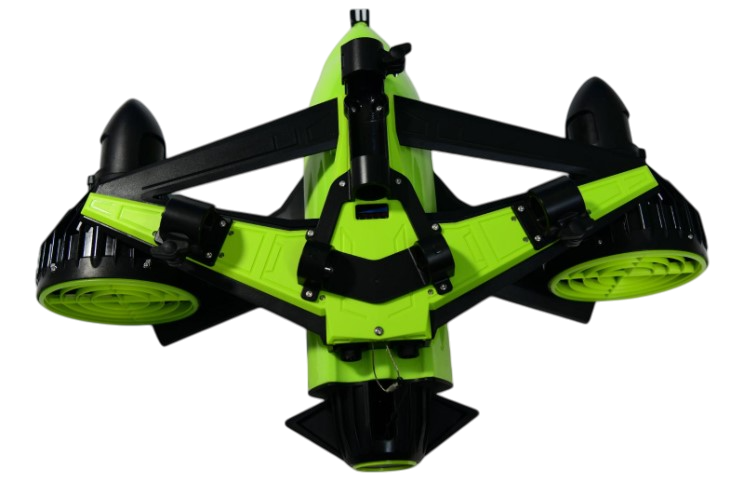
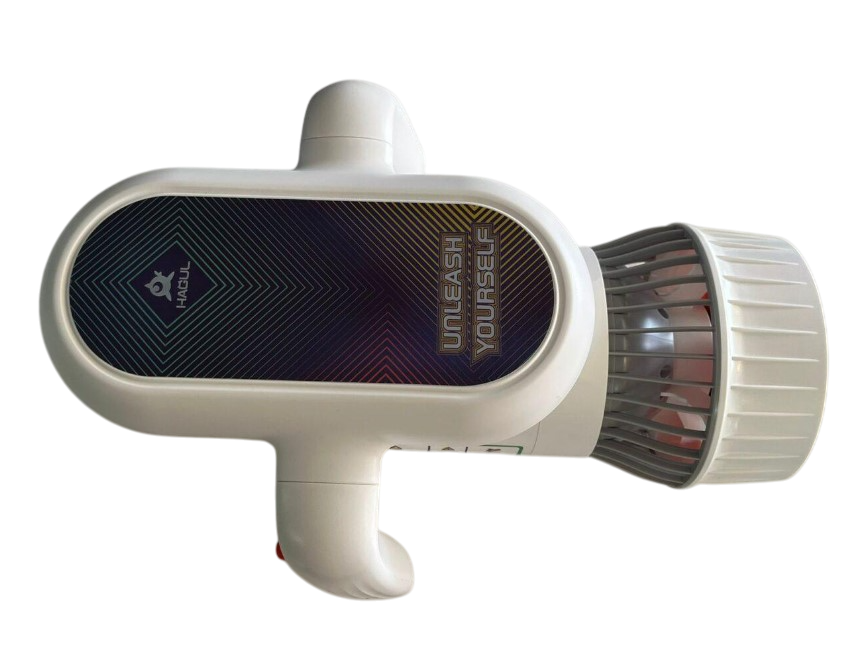
Gli scooter subacquei, noti anche come DPV (Diver Propulsion Vehicle), sono dispositivi progettati per trasportare subacquei attraverso l’acqua con il minimo sforzo. Immaginali come dei piccoli motori elettrici che puoi tenere in mano o agganciare al tuo equipaggiamento, capaci di spingerti a velocità che vanno dai 2 ai 6 nodi. Sono alimentati da batterie ricaricabili e sono diventati sempre più compatti, leggeri e potenti nel corso degli anni.
Questi dispositivi non sono solo un giocattolo per appassionati di tecnologia, ma rappresentano un vero e proprio strumento per ampliare le possibilità di esplorazione subacquea. Con uno scooter, puoi coprire distanze maggiori, ridurre il consumo di aria e goderti un’esperienza subacquea più dinamica e meno faticosa.
Come stanno rivoluzionando l’esplorazione subacquea?
L’esplorazione subacquea tradizionale richiede un notevole dispendio di energie. Nuotare contro correnti, trasportare attrezzature pesanti e gestire il consumo di aria sono sfide che ogni subacqueo conosce bene. Gli scooter subacquei stanno cambiando tutto questo.
Grazie a questi dispositivi, i subacquei possono concentrarsi maggiormente sull’osservazione dell’ambiente sottomarino, piuttosto che sulla fatica fisica. Inoltre, gli acquascooter permettono di raggiungere aree che altrimenti sarebbero difficili da esplorare, come grotte sottomarine o relitti lontani dalla costa. Questo apre nuove opportunità per fotografi subacquei, ricercatori e semplici appassionati che vogliono scoprire angoli inesplorati del mondo sommerso.
Tecnologia e design: cosa rende uno scooter subacqueo efficiente?
Uno degli aspetti più affascinanti degli scooter subacquei è la tecnologia che li rende così efficienti. I modelli più avanzati sono dotati di motori brushless, che garantiscono una maggiore durata della batteria e una rumorosità ridotta, fondamentale per non disturbare la fauna marina. Le batterie al litio sono un altro punto di forza, offrendo un’ottima autonomia e tempi di ricarica rapidi.
Il design ergonomico è altrettanto importante. Gli scooter moderni sono accessori nautici progettati per essere maneggevoli e leggeri, con impugnature intuitive e sistemi di galleggiamento neutro che li rendono facili da controllare sott’acqua. Alcuni modelli includono anche funzionalità aggiuntive, come luci integrate o telecamere, che arricchiscono ulteriormente l’esperienza subacquea.
Consigli utili per chi vuole provare uno scooter subacqueo
Se sei interessato a provare uno scooter subacqueo, ci sono alcune cose da tenere a mente. Innanzitutto, assicurati di avere una buona familiarità con le tecniche di immersione di base. Anche se questi dispositivi riducono la fatica, è comunque importante saper gestire situazioni impreviste sott’acqua.
In secondo luogo, scegli uno scooter adatto al tuo livello di esperienza e alle tue esigenze. Se sei un principiante, opta per un modello semplice e leggero, mentre i subacquei più esperti potrebbero preferire dispositivi con maggiore potenza e funzionalità avanzate.
Infine, non dimenticare di rispettare l’ambiente marino. Gli scooter subacquei sono strumenti fantastici, ma è fondamentale usarli in modo responsabile, evitando di disturbare gli ecosistemi o di avvicinarsi troppo alla fauna selvatica.
Il futuro della mobilità sottomarina
Gli scooter subacquei rappresentano solo l’inizio di una nuova era per l’esplorazione sottomarina. Con il continuo avanzamento della tecnologia, possiamo aspettarci dispositivi sempre più sofisticati, capaci di offrire prestazioni migliori e nuove funzionalità. Chissà, forse un giorno avremo veri e propri “veicoli subacquei” che ci permetteranno di viaggiare negli abissi come oggi viaggiamo su strada.
Pillole
Tech
idee sparse
Che altro posso dire ?
Le scarpe Timberland non sono solo un simbolo di stile, ma anche un esempio di qualità e durabilità, perfette per affrontare ogni avventura con comfort e sicurezza
Le borse Manikomio Design uniscono design moderno e funzionalità, offrendo un accessorio perfetto per chi cerca stile e praticità nella vita quotidiana
Gli occhiali da sole Adidas combinano perfettamente sportività e stile, offrendo protezione dagli UV e un design all’avanguardia per chi ama vivere all’aria aperta
Gli occhiali da vista Fendi sono l’incarnazione dell’eleganza e della raffinatezza, perfetti per chi desidera un tocco di lusso e stile nella vita frenetica di tutti i giorni
I caschi da bici Kask offrono un perfetto equilibrio tra sicurezza, comfort e design innovativo, rendendoli la scelta ideale per ciclisti di ogni livello ed età
Gli sniper softair sono l’ideale per gli appassionati di giochi tattici, offrendo precisione e potenza in un design realistico, perfetti per chi cerca un gioco immersivo
Le spade fantasy, con le loro forme uniche e dettagli intricati, catturano l’immaginazione e ci trasportano in mondi epici, dove ogni colpo racconta una storia di avventure e battaglie leggendarie
Un impianto di nebulizzazione antizanzare è la soluzione ideale per proteggere il tuo giardino o spazio esterno, creando un ambiente privo di insetti fastidiosi, così puoi goderti le serate all’aperto senza preoccupazioni
I Ray-Ban Meta AI sono il futuro degli occhiali smart: con audio immersivo, fotocamera integrata e la possibilità di interagire con l’IA per ottenere informazioni in tempo reale, puoi esplorare il mondo con stile e tecnologia